Google Analytics 4
Google Analytics 4 is the analytics foundation of Kixell Tag: the module builds a complete e-commerce dataLayer for you (from view_item to purchase) and sends it to GA4 via Google Tag Manager, with no tag handling on your part.
Unlike Universal Analytics, GA4 relies on an event-based data model: every interaction (product view, add to cart, purchase) is an event sent to your Google Analytics property.
Enable Google Analytics 4
- Turn on the Enable Google Analytics switch.
- Enter your Google Analytics 4 Measurement ID in the
G-XXXXXXXXXXformat.
G-XXXXXXXXXX is shown at the top right.
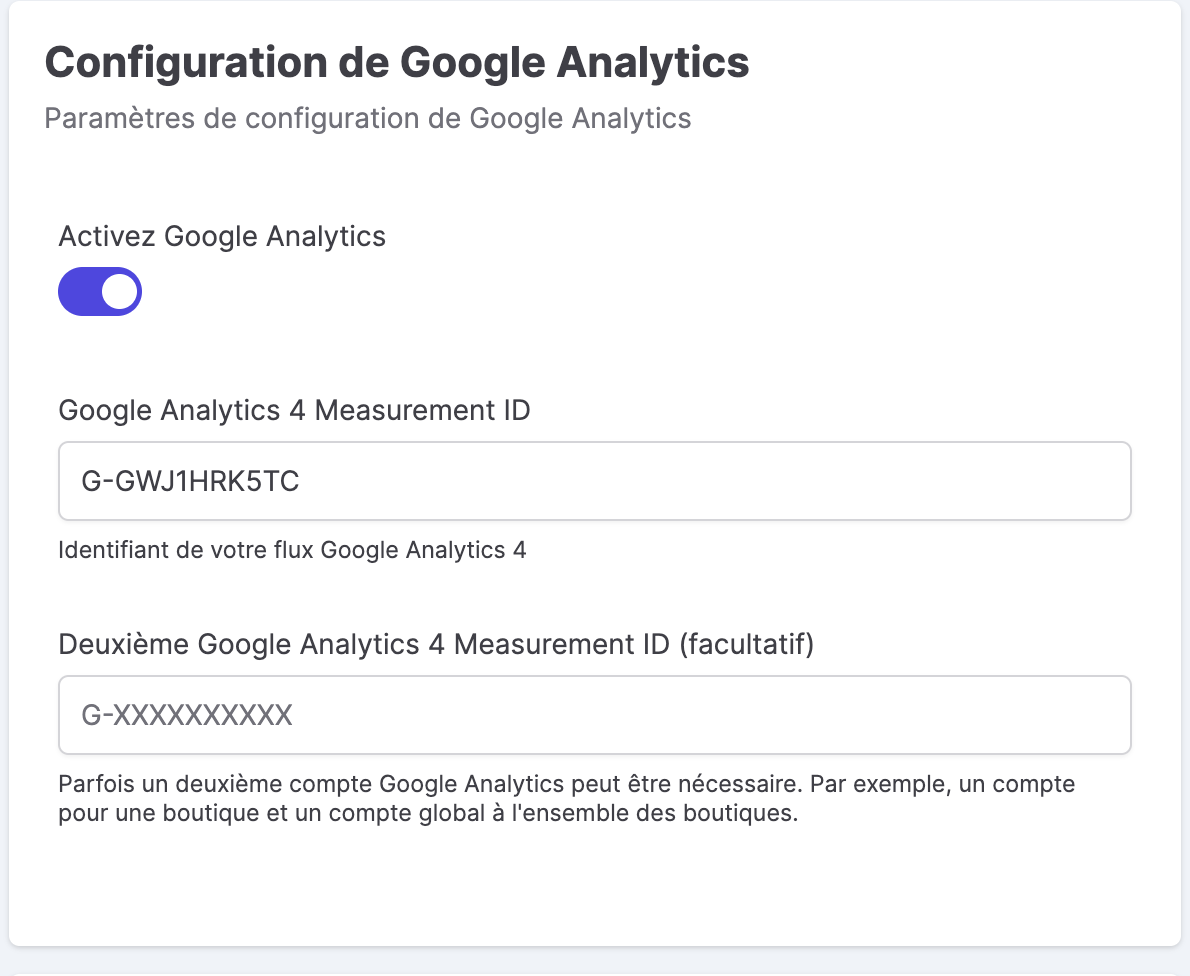
Second identifier (optional)
The Second Google Analytics 4 Measurement ID field lets you send data to two properties at the same time. This is useful, for example, when a store has its own account while also feeding a global account shared across all stores.
Product configuration
The Product configuration section determines the value sent as item_id in GA4 events. You adjust it to match your catalog structure:
- Product ID: base field (product
idor reference). - Prefix / Suffix: text added before/after the identifier, with the keywords
{lang},{LANG},{country},{COUNTRY}. - Add the combination identifier: appends the combination (for example
47or47-12), with a configurable separator.
item_id with the identifier used in Google Merchant Center to make it easier to reconcile product data across GA4, Google Ads and the Merchant Center.
Product list configuration
The Maximum products in product list feedback setting limits the number of items sent in list events (view_item_list). This avoids overly large dataLayers on category or search pages that contain many products.
E-commerce events
Kixell Tag automatically reports the full set of GA4 events along the purchase journey (view_item_list, select_item, view_item, add_to_cart, begin_checkout, purchase…). The complete list, the structure of items and the list listeners are detailed in the e-commerce dataLayer.
Consent
The GA4 tag respects Consent Mode v2: the analytics_storage parameter reflects the user's choice in the consent banner. Depending on the mode (advanced, restricted, basic), anonymized pings may be sent before the choice — see CMP features.
Make the most of your data in Google Analytics 4
Once the data stream is fed by Kixell Tag, Google Analytics 4 lets you analyze user behavior and the customer journey, from the first visit to conversion. You get standard and custom reports, custom dimensions and metrics and free-form explorations to segment your audience. The GA4 property also connects to other Google tools: importing conversions into Google Ads to optimize your campaigns, advanced visualization in Looker Studio and cross-referencing search queries with the Search Console. The normalized dataLayer built by Kixell Tag ensures these analyses rely on reliable e-commerce data — while respecting consent.