Google Reviews
Kixell Tag integrates Google Customer Reviews: post-purchase review collection and display of the rating badge on your site.
Enable Google Reviews
- Turn on the Enable Google customer reviews switch.
- Enter your Merchant ID (Google Merchant Center identifier).
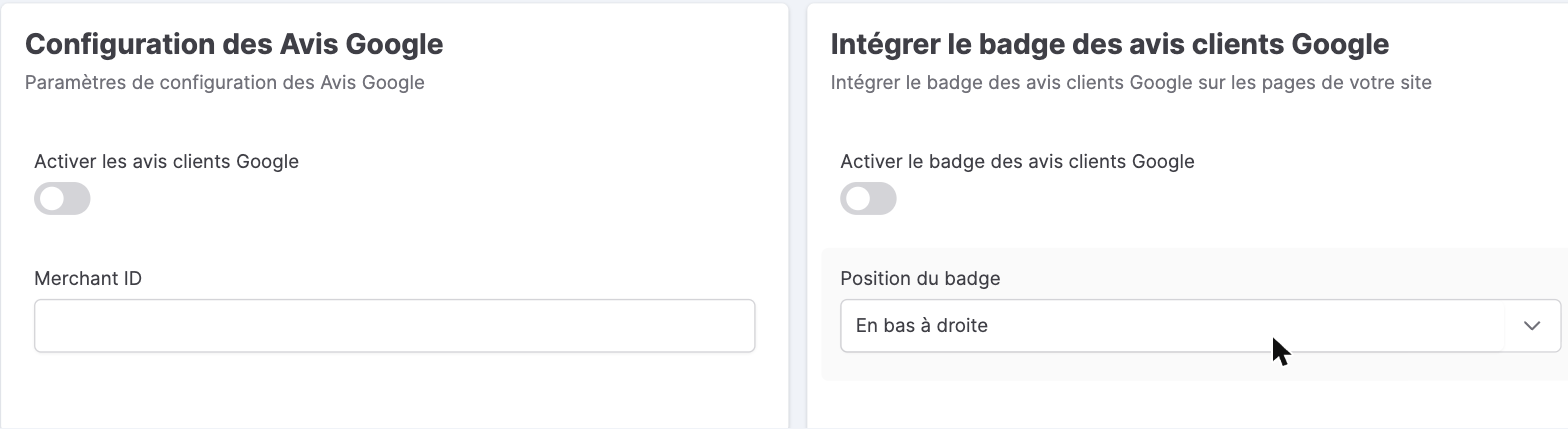
Google customer reviews badge
The badge displays your store's rating on your pages:
- Enable the Google customer reviews badge.
- Badge position: for example Bottom right.
Review collection
The review collection section enables the Google survey shown to the customer after their purchase. An average delivery time (in days) lets Google schedule the satisfaction survey at the right moment.
Google customer reviews: trust and conversion
Collecting Google customer reviews (Google Customer Reviews) strengthens your store's reputation and its conversion rate: the rating and stars appear on the site badge, in Shopping listings and Google Ads. Collecting verified reviews after purchase encourages authentic feedback, and it remains advisable to reply to reviews to nurture the customer relationship. The more reviews you collect, the more your visibility and buyer trust grow.