Google Tag Gateway
The Google Tag Gateway serves Google tags first-party, from your own domain via a reserved path, rather than directly from Google's servers. Because requests are seen as coming from your site, measurement gains in reliability and cookie lifetime.
Why enable it
- Resilience against ad blockers and browser restrictions (ITP, etc.).
- Extended cookie lifetime, with identifiers set in a first-party context.
- Continuity of measurement for Google Analytics 4 and Google Ads.
Configuration
The Google Tag Gateway is set up in the Google Tag Manager interface, under "GTM Server Side & Google Tag Gateway" (see Google Tag Manager):
- First disable Google Tag Manager Server Side: the Google Tag Gateway option then appears (the two first-party approaches are alternatives).
- Enable "Enable Google Tag Gateway?".
- Enter the tag serving path: an alphanumeric string reserved on your domain, without a slash at the start or end, and not already used elsewhere on your site.
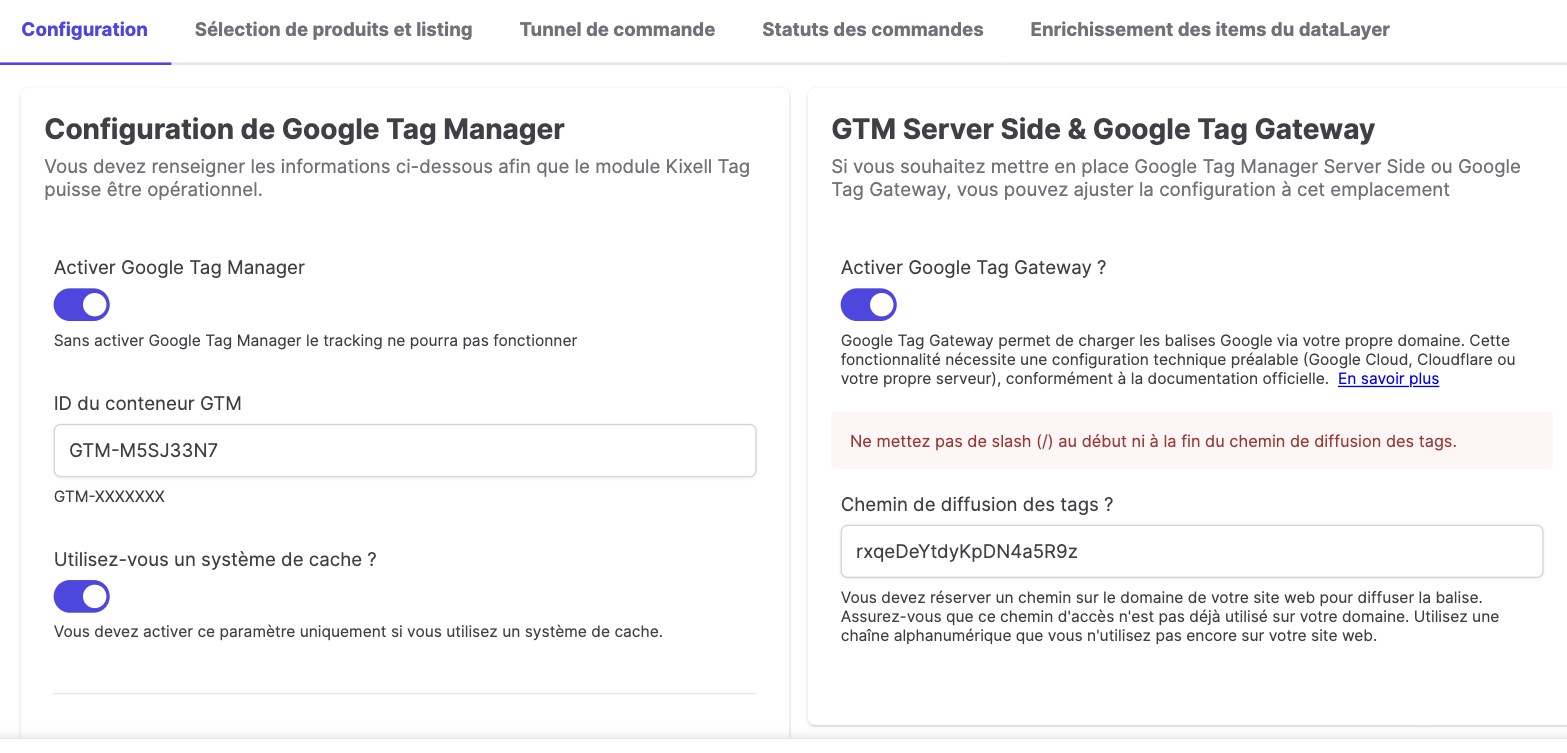
The Google Tag Gateway requires prior technical configuration (Google Cloud, Cloudflare or your own server) to route this path to Google's tag servers, in line with the official documentation.
Server Side and Google Tag Gateway are two distinct first-party approaches: enable one or the other depending on your infrastructure. For classic Server Side, see Server Side GTM.