Microsoft Ads (Bing)
Kixell Tag deploys the Microsoft Advertising tag (the UET Tag, Universal Event Tracking) and feeds your conversion goals from the events of the purchase journey. Microsoft Advertising serves your ads on Bing, Yahoo and the Microsoft search network.
Enable Microsoft Ads
- Turn on the Enable Microsoft Ads switch.
- Enter your Microsoft Ads UET Tag (the identifier of your Universal Event Tracking tag).
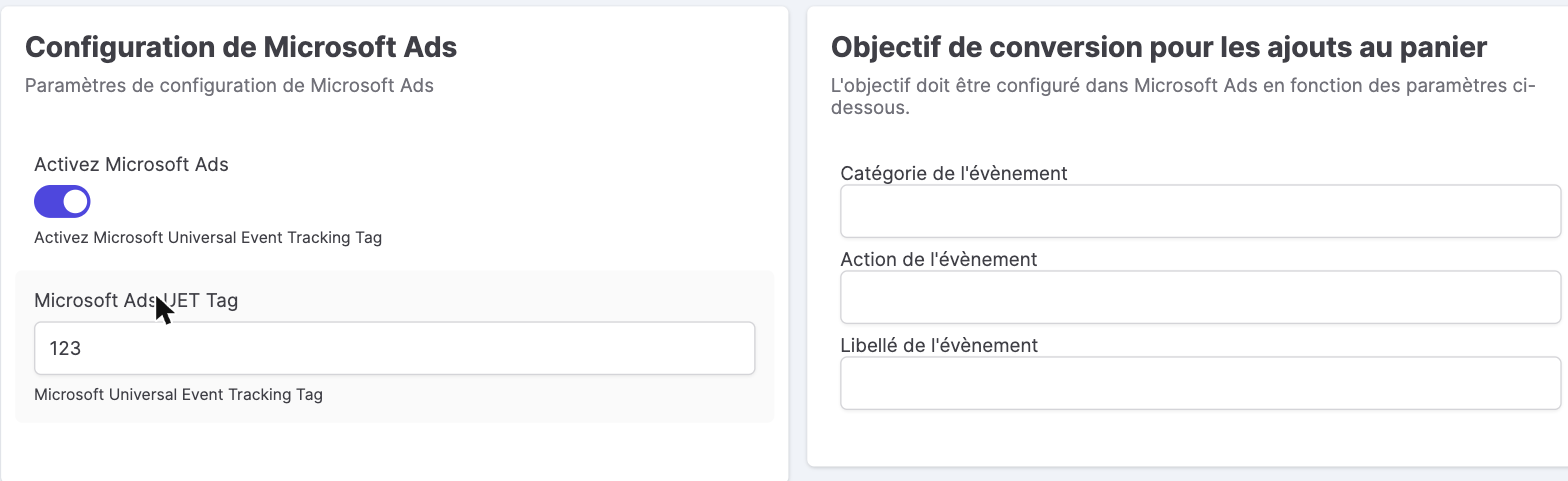
Conversion goals
Microsoft Ads works with custom conversion goals that you first create in your Microsoft account, then link here by entering, for each goal, its Category, Action and Event Label.
Distinct goals are available for the main steps of the journey:
| Goal | Event |
|---|---|
| Add to cart | add_to_cart |
| Transactions | purchase (with a possible new / returning customer distinction) |
| Account creation | sign_up |
| Checkout | begin_checkout, add_shipping_info, add_payment_info |
Consent
The Microsoft tag respects the Microsoft consent mode: the consent state (uetq consent) is synchronized with the choice expressed in the banner, in line with Consent Mode. See CMP features.
Why measure your Microsoft Advertising conversions
Microsoft's advertising platform (formerly Bing Ads) reaches an audience that is complementary to Google's, often less competitive and with a lower cost per click. The UET tag measures conversions (purchases, add-to-cart, account creation) to steer your bidding and campaigns. You can even import your Google Ads campaigns into Microsoft Advertising: reliable conversion tracking, fed by Kixell Tag's dataLayer, then ensures consistent data across both ad networks — while respecting consent.