Google Tag Manager Interface
The Google Tag Manager interface on the home page gathers the entire container configuration. It is the essential setting: without GTM enabled, no tag works.
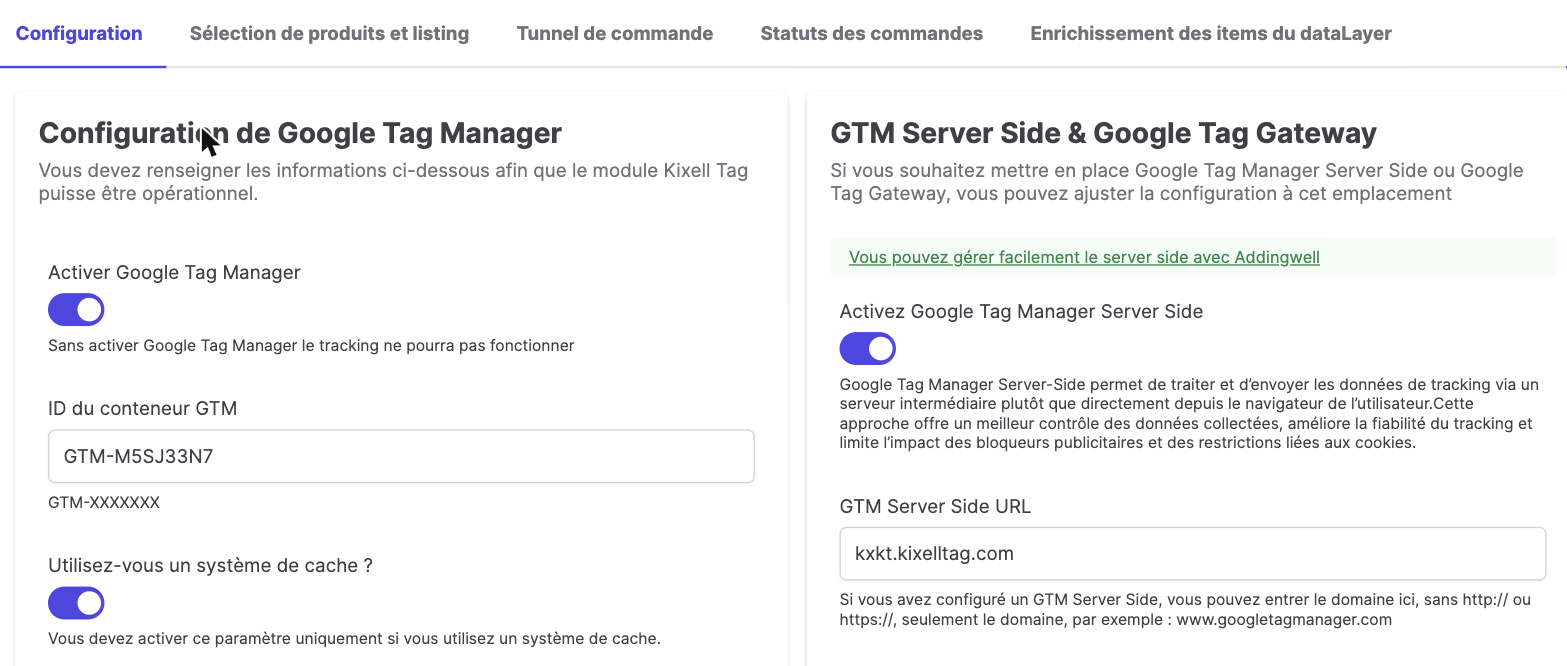
Configuration tab
Google Tag Manager configuration:
- Enable Google Tag Manager: without it, tracking cannot work.
- GTM container ID: in the
GTM-XXXXXXXformat. - Do you use a caching system?: enable only if your store uses a strong / full-page cache (Varnish, reverse proxy, HTTP cache…). This is not PrestaShop's internal cache.
- Revenue and prices excluding tax?: determines whether order revenue and product prices are reported in the dataLayer excl. tax or incl. tax. It has no impact on the revenue sent to Google Ads, which has its own setting in the dedicated section of the module.
GTM Server Side & Google Tag Gateway:
From this section of the interface, you can enable GTM Server Side and/or Google Tag Gateway:
- for GTM Server Side, see Server Side GTM;
- for Google Tag Gateway, see Google Tag Gateway;
- if neither is enabled, see Client Side GTM.
"Product selection and listing" tab
This tab tunes product detection on listing pages.
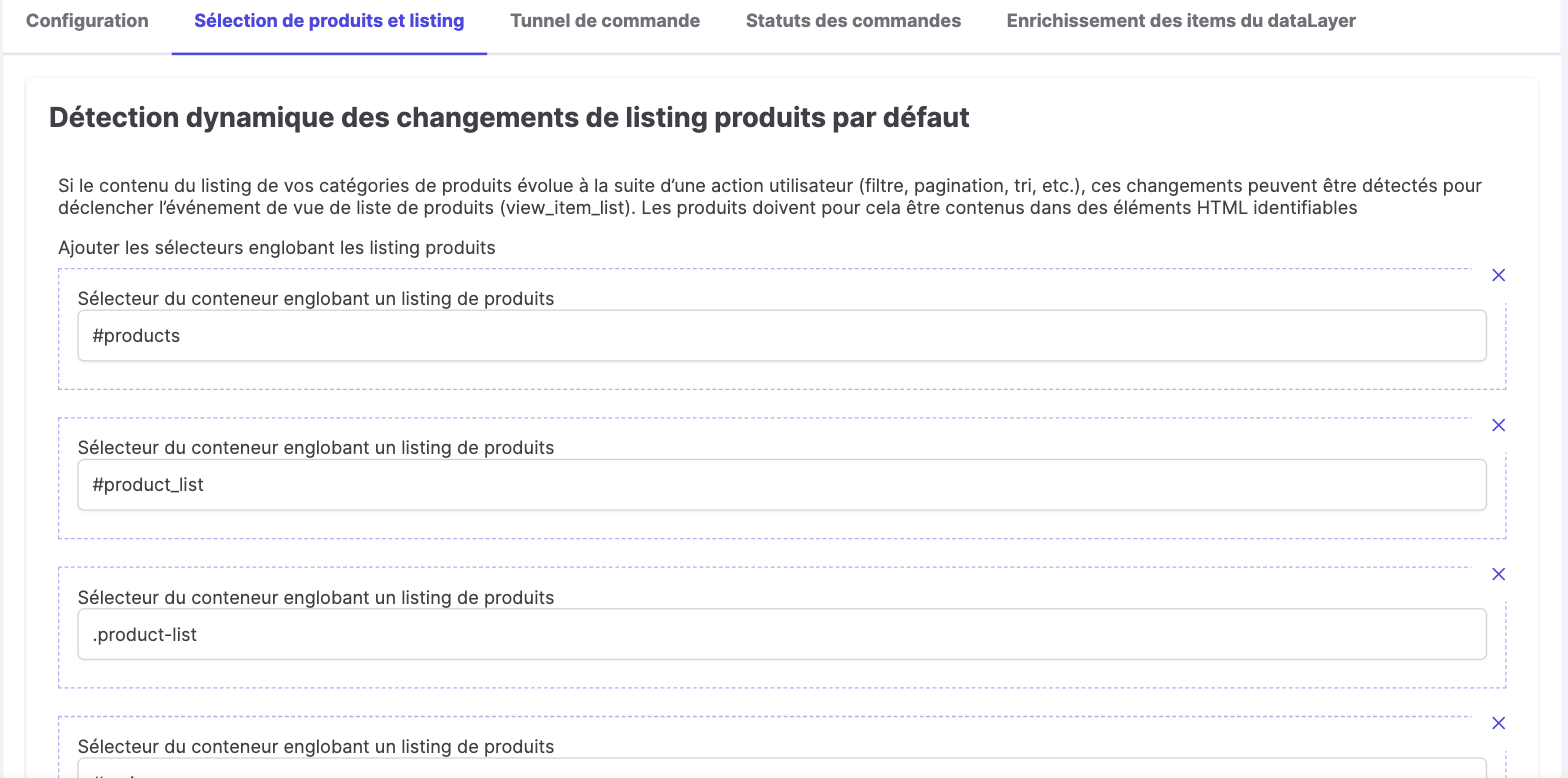
- Dynamic detection of product listing changes: when a list changes following a user action (filter, pagination, sorting…), those changes are detected to trigger
view_item_list. Add the CSS selectors of the containers wrapping your listings (for example#products,.product-list). - Product click detection (
select_item): provide the container selector of a product in the list and the selector of the links to the product page. The container must carry the HTML attributesdata-id-productanddata-id-product-attribute.
"Checkout" tab
This tab identifies the shipping and payment steps using CSS selectors.
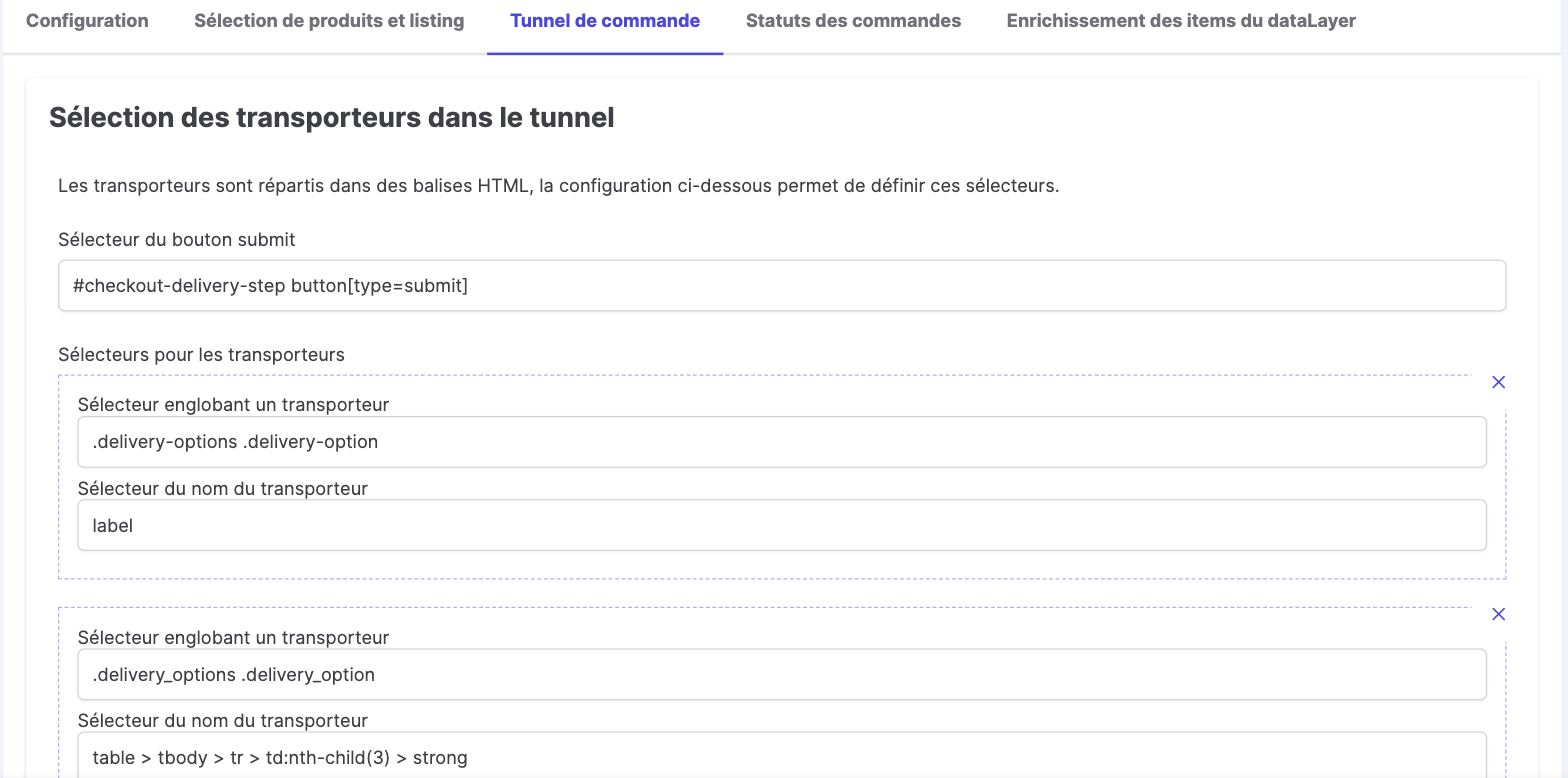
- Carrier selection (
add_shipping_info): the submit button selector of the shipping step, then for each carrier a wrapping selector and a name selector. - Payment selection (
add_payment_info): for each payment method, a wrapping selector and a name selector.
"Order statuses" tab
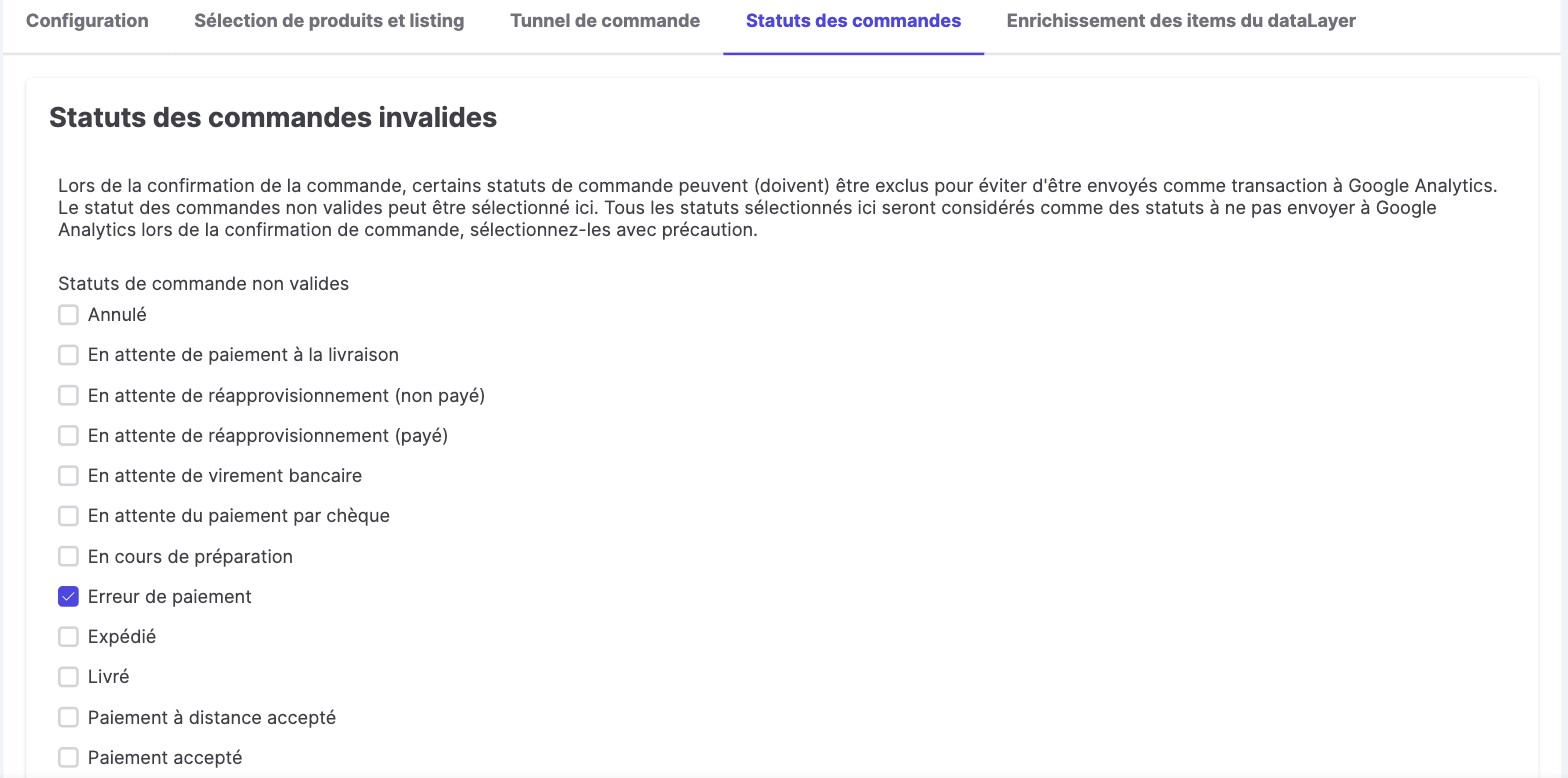
Select the invalid order statuses: on confirmation, orders in those statuses are not sent as a transaction (purchase) to Google Analytics. For example, tick "Payment error". Select these statuses carefully.
"dataLayer items enrichment" tab
This tab enriches GA4 items without code, by adding your product data.
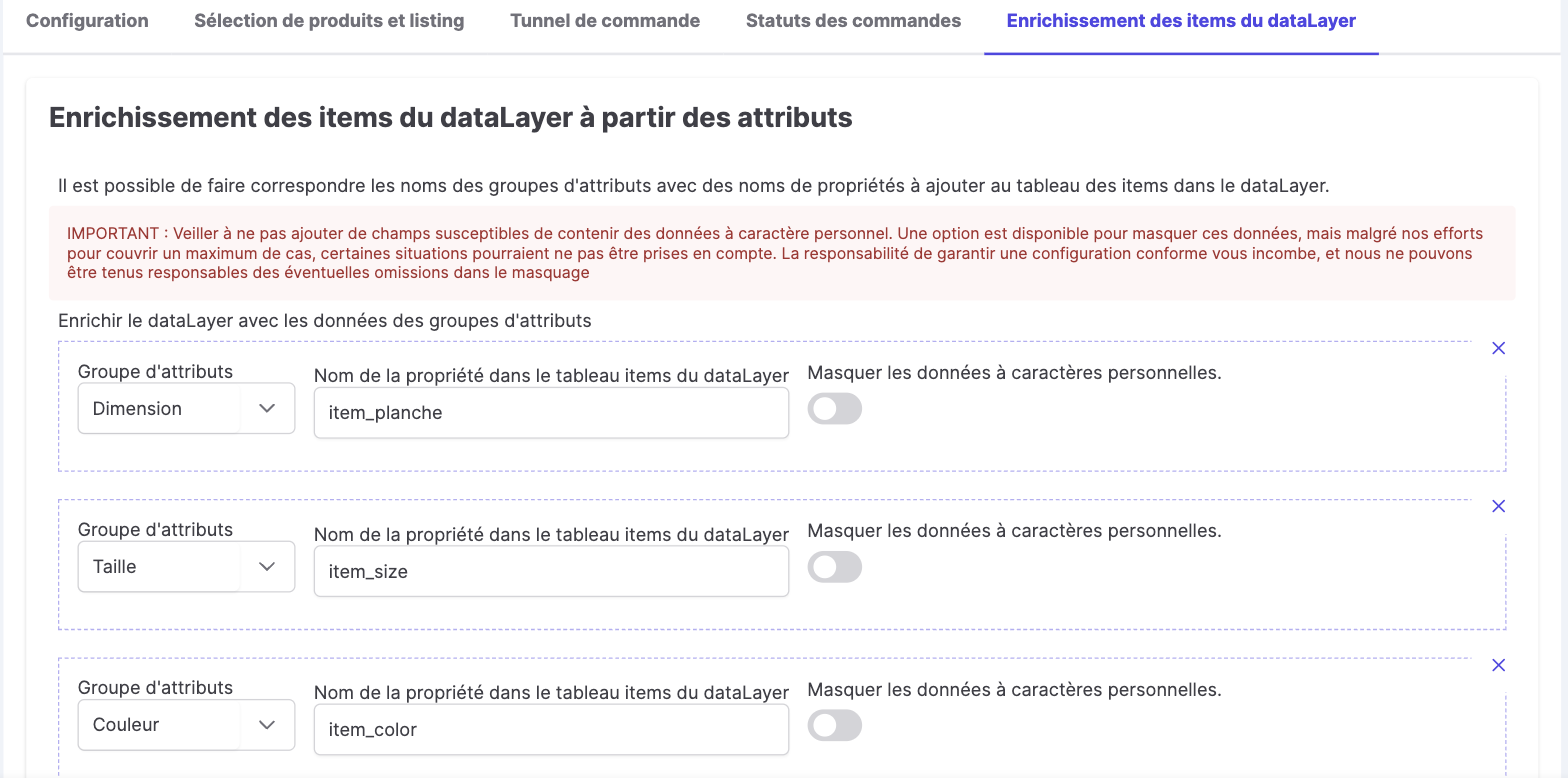
- From attribute groups: map a PrestaShop attribute group (Dimension, Size, Color…) to an item property name (e.g.
item_size,item_color). - From custom fields: map a custom field (per language) to an item property (e.g.
Circuit→item_circuit). - A "Mask personal data" option is available for each mapping.
Why everything goes through Google Tag Manager
Google Tag Manager (GTM) centralizes the management of your tags, triggers and variables in a single container, without modifying your store's code. Kixell Tag provides a ready-to-use GTM configuration: the module pushes a normalized dataLayer and GTM takes care of forwarding the events to GA4, Google Ads, Meta and the other platforms. You can check that tags fire correctly with GTM's Preview mode and Google's Tag Assistant extension, before publishing your changes safely.